


- Do-it-All Screen
- Smart TV Apps
- Remote Access and Samsung DeX
- Remote Controller and Built-in Speaker
The Do-It-All Screen gets all-around style
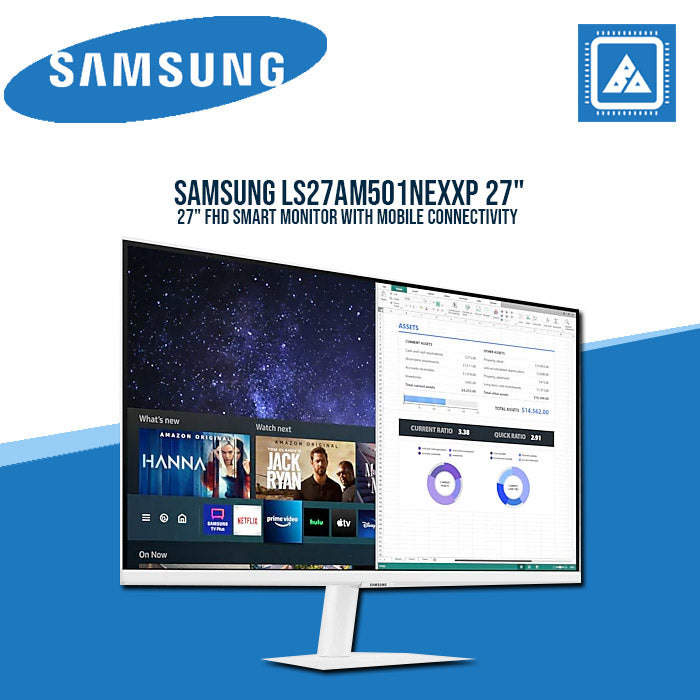
For any kind of look, for every side of life. Work without a PC, stay connected with Office 365, and access your office computer from home. Enrich your free time with the on-board one-stop entertainment hub. This display fits beautifully wherever you put it.


Below the title Smart Monitor a vertical line divides two different images of a monitor. The line slides right to reveal an office desk with PPT on the monitor and the words Work without PC, and slides left to reveal a home desk with a movie playing on the monitor and the words Play simple & easy
Slim, sleek design to suit any space
Complement any space. The super slim monitor depth and 2.5mm metal stand seamlessly blends into any setup, minimizing desk footprint and maximizing workspace for creativity and comfort. The borderless, clean white design also provides a sleek, understated style to improve any interior setting.


Stream endless entertainment
Smart TV Apps
Binge watching got even easier. Access a bunch of entertainment apps, such as Netflix, YouTube, and HBO, without switching on your PC or laptop. The remote control and built-in speakers simplify your chill time.


* App availability may vary by country** Subscription required*** Remote control specifications may vary by country**** TV tuner not included
Explore a free world of entertainment
Samsung TV PlusFree TV, no strings attached. Just tune in to Samsung TV Plus to enjoy free live and on demand content. Choose from news, sports, entertainment and more. No downloads, sign-up, credit cards, subscriptions or other devices required.
* Content services may vary by regions and are subject to change without notifications.** Requires internet connection*** Separate subscriptions may be required **** TV plus functionality to be updated July 2021

Mobile meets big screen
Mobile Connectivity
Wireless DeX unlocks a full PC experience, without any PC. Use mobile productivity apps, such as video conferencing, documents, and browsers, through just your monitor and phone. To see photos or watch movies on the big screen, just tap it with your phone using Tap View.


- * Wireless DeX supported on selected Galaxy, Note, and Tab devices. (More details on the FAQ page: https://help.content.samsung.com/csweb/faq/searchFaq.do)** Limited to selected apps and may require license purchase*** On-screen content simulated for demonstration purpose
Connect to the world's first AirPlay2-enabled monitor
AirPlay 2
With a first-of-its-kind AirPlay 2 integration, use Apple devices to work and play on the big screen. Improve workflow by creating a wireless dual monitor setup with your MacBook and Smart Monitor. When it's time to relax, effortlessly enjoy videos, music, photos, and more from your iPhone or iPad.


Work and learn from a distance
PC on ScreenWork seamlessly from anywhere. Boost your productivity with PC on Screen features. Using the Microsoft 365 suite, view and edit documents, and conveniently save them all on the cloud. Even while at home, Easy Connection lets you work remotely on your school or office desktop.
* Windows 10 Pro, Mac OS 10.5, or higher, and compatible network settings are required for this feature**Microsoft 365 requires Microsoft account*** On-screen content simulated for demonstration purpose**** ’Remote Access’ feature will be upgraded to ‘PC on Screen’ as of July 2021

Optimal brightness for any ambience
Adaptive PictureSensational picture, day or night. Surrounding light is detected by a sensor to adjust brightness automatically with Adaptive Picture. Even in broad daylight, watch dark, gritty dramas without squinting and straining your eyes to see the picture.
Just say "play" to play
Multiple Voice Assistants
Control the monitor with your voice with built-in voice assistants including Bixby, Amazon Alexa and Google Assistant. Switch between apps, play and control videos, and more.


* Remote control specifications may vary by country** Google is a trademark of Google LCC.
Plug and see
Auto Source Switch +
No more switching around. With Automatic Source Switch Plus, your monitor detects newly connected devices as soon they're plugged in, and displays the correct signal. No more searching for the right input on the menu.


Reveal the game's hidden sides
Ultrawide Game View
Keep your eye on the win. Adjust your screen to 21:9 to discover hidden areas in game scenes with Ultrawide Game View. Now when you play soccer games, see more of the pitch right up to the goalposts. And in driving games, get a natural and encompassing view of the road ahead.


The monitor shows a photo of a penalty kick in a soccer match. As the 16:9 ratio display transforms to 21:9, the goalkeeper on the right and other players behind the kicker on the left are revealed. The additional view on each side highlighted by dotted lines.
* Availability limited to source devices which support 21:9 output** May function differently depending on game or content being viewed
Specifications
-
Resolution1920 x 1080
-
Smart TV AppsSmart TV Apps
-
Aspect Ratio16:9
-
High Dynamic RangeHDR
-
ConnectivityBuild in WiFi and Bluetooth
-
ConnectivityRemote Controller and Built-in Speaker